
Getting Started with Inarix SDK
This page will help you get started with Inarix SDK. You'll be up and running in a jiffy!
Setup your development environment
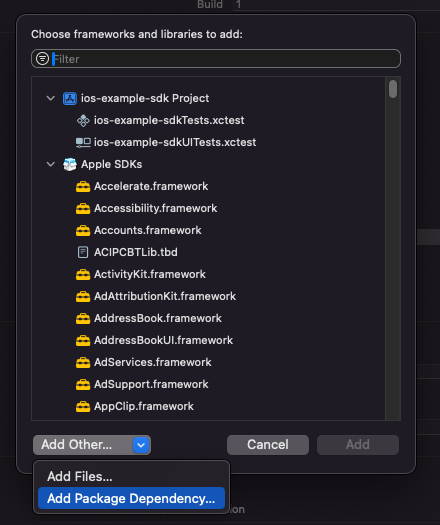
- Add a new package dependency to your Xcode project

- Add a new "Package Dependency"
- Search the Inarix SDK package using the following URL: https://github.com/inarix/inarix-ios-sdk.git
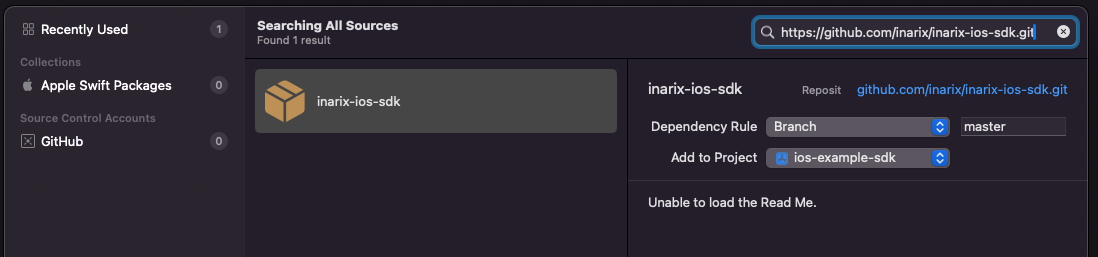
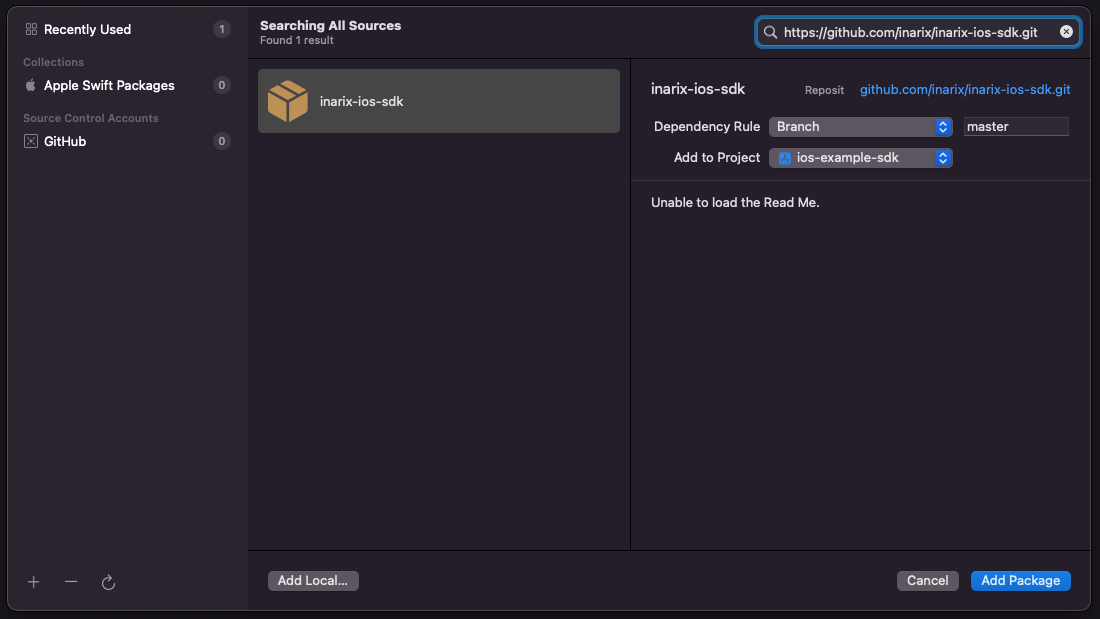
- Add the package to your project
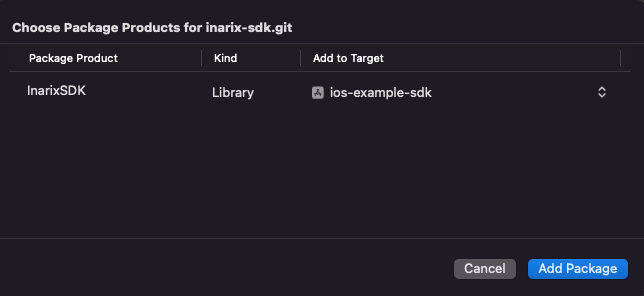
- Finally, select the right target to add the dependency. In this example it's
ios-example-sdk
- You should be setup now! 🙌
Versioning
At Inarix, we use Semantic Versioning for our SDK.
TLDR
Given a version number MAJOR.MINOR.PATCH, we increment the:
- MAJOR version when we make incompatible API changes.
- MINOR version when we add functionality in a backward compatible manner.
- PATCH version when we make backward compatible bug fixes.
How to update the SDK?
After adding the Inarix SDK as dependency of your project, you should see the following package dependencies in Xcode:
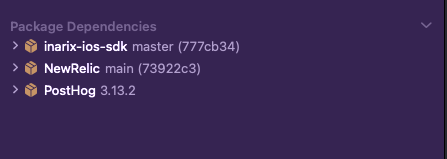
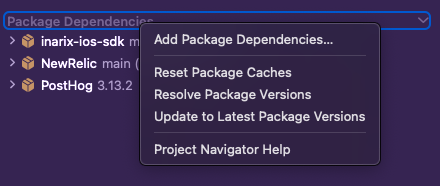
By right-clicking on the "Package Dependencies", you will see a menu with "Update to Latest Package Versions". Click on this one and it'll update the SDK to the latest version available.
Updated 11 months ago
What’s Next
Now that you have Xcode set up, the next step is to authenticate yourself using the Inarix SDK.